
To use all the features of Ultra Addon’s Pro version, you need a license key. In this doc, we will try to explain how you can get your key.
How to activate License for Pro Version? #
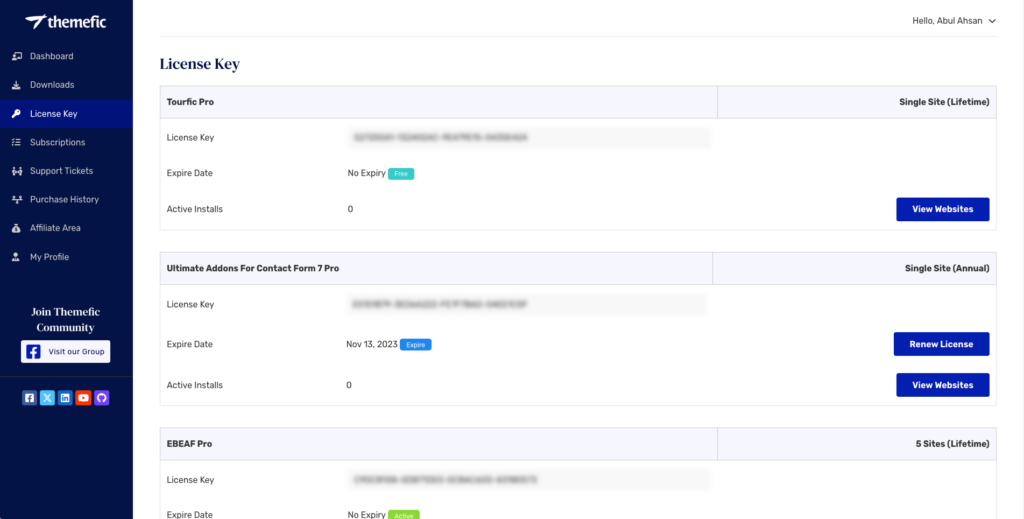
1. After purchasing our plugin, you’ll receive the license key via email. You can also log in to our client portal and find the license key on the ‘License Key‘ page under the ‘License Key’ tab.
2. Copy the license key, then navigate to Ultra Addons -> Pro License in your WordPress dashboard. Enter your email and license key to activate the Pro plugin.
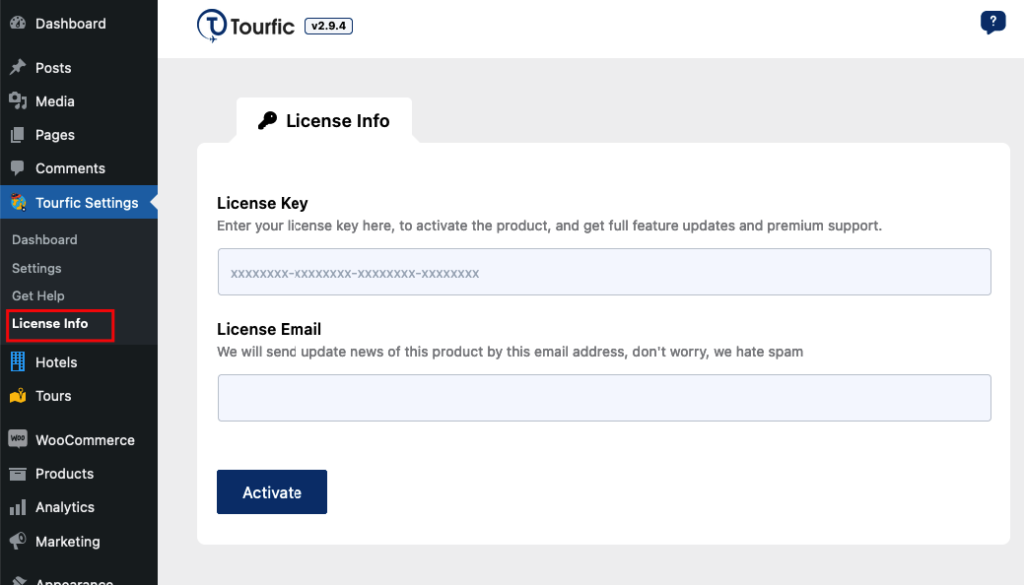
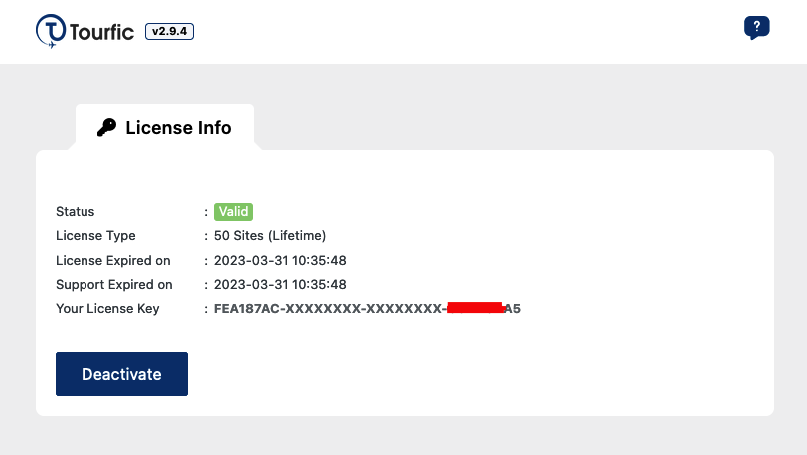
3. Click the “Activate” button. If the activation is successful, it should look like this:
Note: If the license activation fails, it’s usually because the PHP cURL extension isn’t enabled on your server. Contact your hosting provider to have it enabled. If the issue persists, please reach out to us using the links below.
Watch Complete Video #
If you are still confused, we suggest you watch this video (Watch timestamp 1:00 – 1:18 and 2:00 – 2:32):
Still Not Clear? Please contact us. If you are a free User, you can open a ticket from here. If you are a pro user, you can open a ticket from here.
