Table of Contents
Car Rental Setting > Terms & Conditions
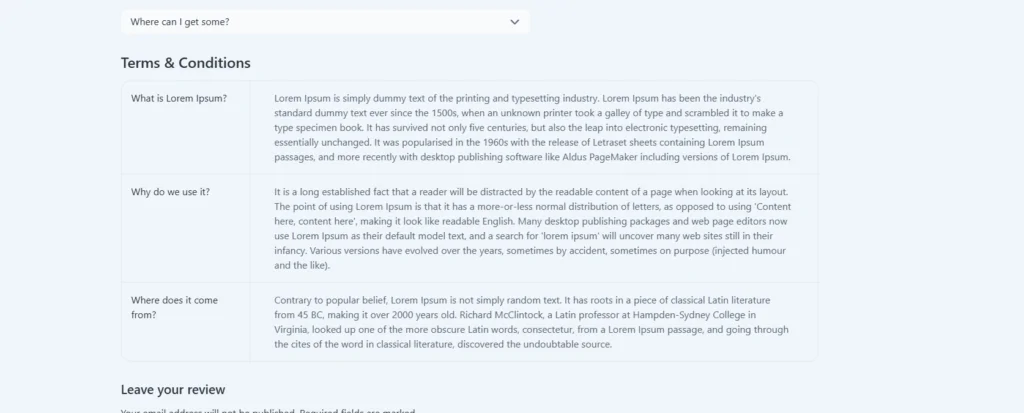
This option allows you to define specific T&Cs for each car rental you offer. This provides transparency to users and outlines the expectations for both parties.
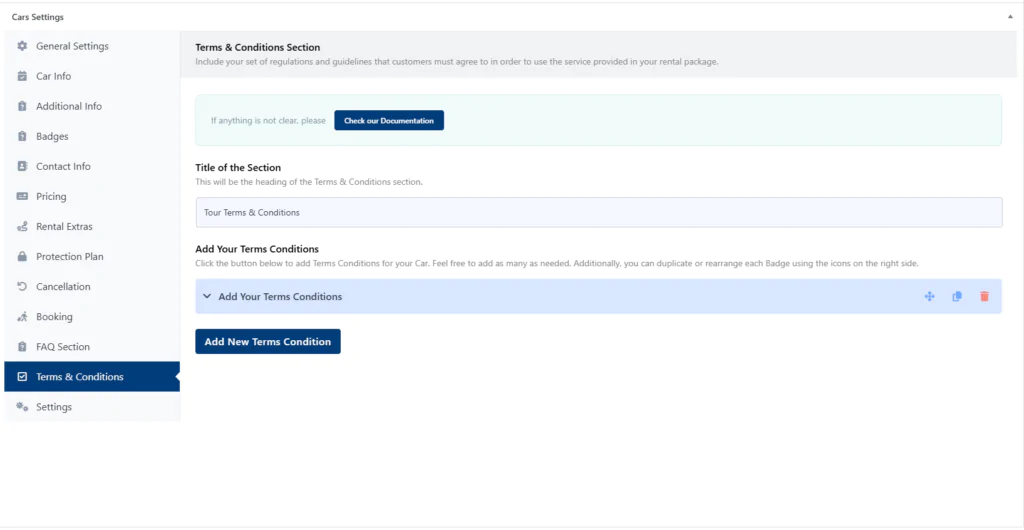
Title of the Section #
This text will appear as the title of the Terms and Conditions section in the front end. You can put down something like “Terms and Conditions” or “T&C”.
Add Your Terms Conditions #
There’s a repeater field by which you can add your T&C for the Car rental. After clicking “Add New Terms Condition” you will get some new options:
- Title: The title of the T&C.
- Content: The description or details of the trems and conditions. It is a wp editor, so you can format your content in any formatting.

The editor offers the following features: #
- Visual and Text editing modes: Choose the mode that best suits your comfort level. The Text editing mode requires you to have basic knowledge of HTML.
- Paragraph formatting: Apply basic formatting options like bold, italics, and bullet points to enhance readability.
Here’s the frontend View