
Tourfic Bricks Page Builder #
The Tourfic Bricks Page Builder feature allows you to build and customize Tourfic pages visually using Bricks Builder integration.
Using this feature, you can create fully dynamic layouts for Tours, Hotels, Apartments, Destinations, and Search pages without writing any code.
Note: The Bricks Builder integration is available only in the Tourfic Pro version.
Requirements #
Before getting started, ensure the following requirements are met:
- WordPress installed and updated
- Tourfic plugin installed and activated
- Bricks Builder theme installed and activated
- Latest version of Tourfic and Bricks Builder
Enable Bricks Page Builder #
The Tourfic Bricks Page Builder Addon provides separate archive and single page templates for each service type. Each service includes a predefined number of ready-made designs, all of which are fully customizable using Bricks Builder.
How to Access Template Builder #
- Go to WordPress Dashboard
- Navigate to
Tourfic Settings → Template Builder - Click Add New Template
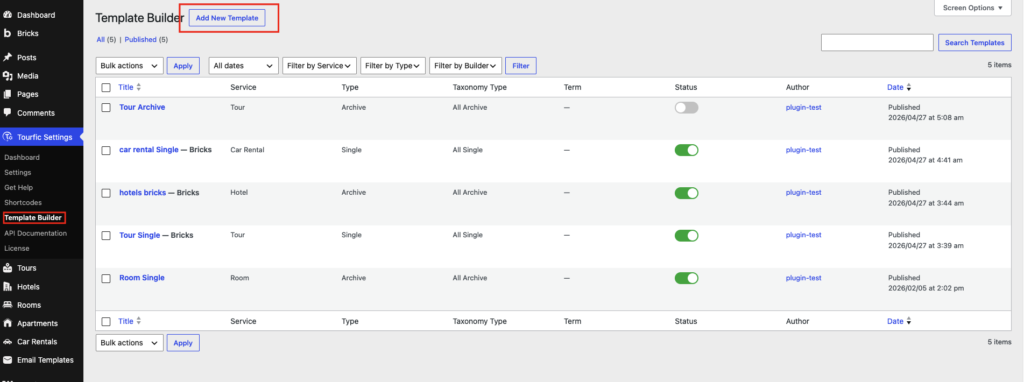
This opens the Build Your Template panel.
Build Your Template Panel Overview #
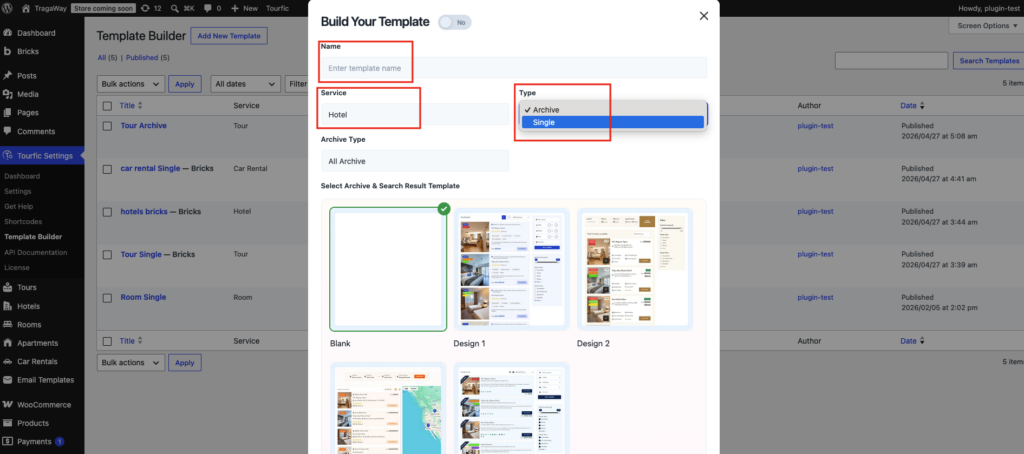
The Build Your Template panel lets you define what type of template you want to create and how it behaves on the frontend.
Template Name #
Enter a meaningful name to identify your template.
Example:
- Hotel Archive Layout
- Tour Single Page Design
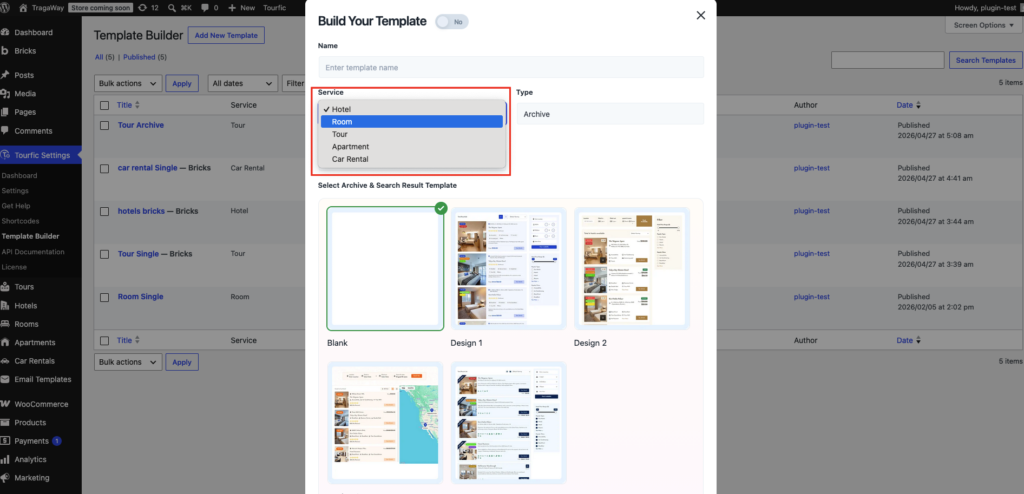
Service Selection #
Choose which Tourfic service the template applies to:
- Hotel
- Tour
- Apartment
- Car Rental
- All Archive (for universal archive templates)
Each service can have its own archive and single page design.
Template Type #
Select the type of template you want to build:
1. Archive #
Used for:
- Service listing pages
- Search result pages
- Category or location archives
2. Single #
Used for:
- Individual Hotel pages
- Single Tour details
- Apartment or Car Rental detail pages
Archive Type (Archive Templates Only) #
If Archive is selected, you can define:
- All Archive – applies to all archive pages for the selected service
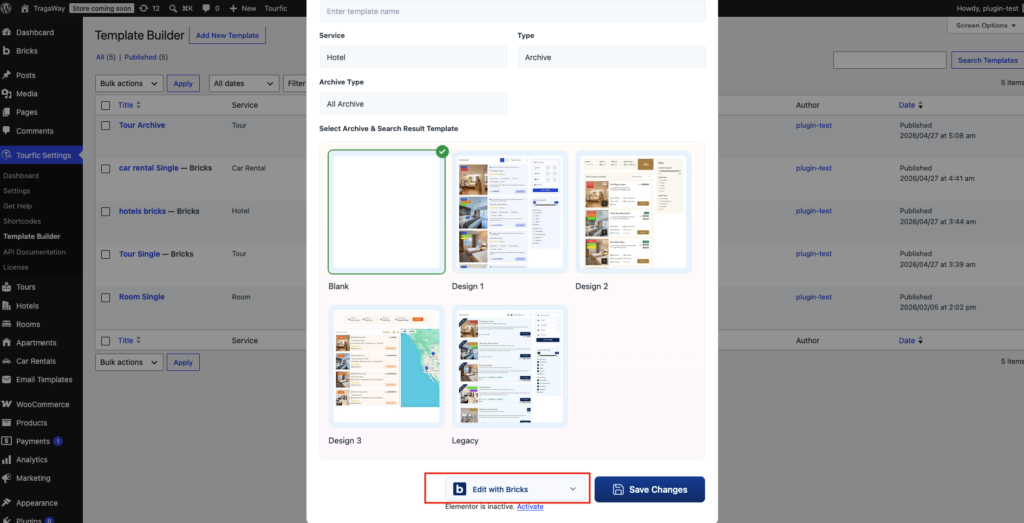
Choose a Pre-Designed Layout #
Under Select Archive & Search Result Template, you can choose from:
- Blank – Start from scratch using Bricks
- Design 1 – Pre-built archive layout
- Design 2 – Alternative archive design
These designs are fully editable in Bricks
Editing with Bricks #
After creating the template:
- Save the template
- Click Edit with Bricks
- Drag & drop Tourfic Bricks widgets to build your layout
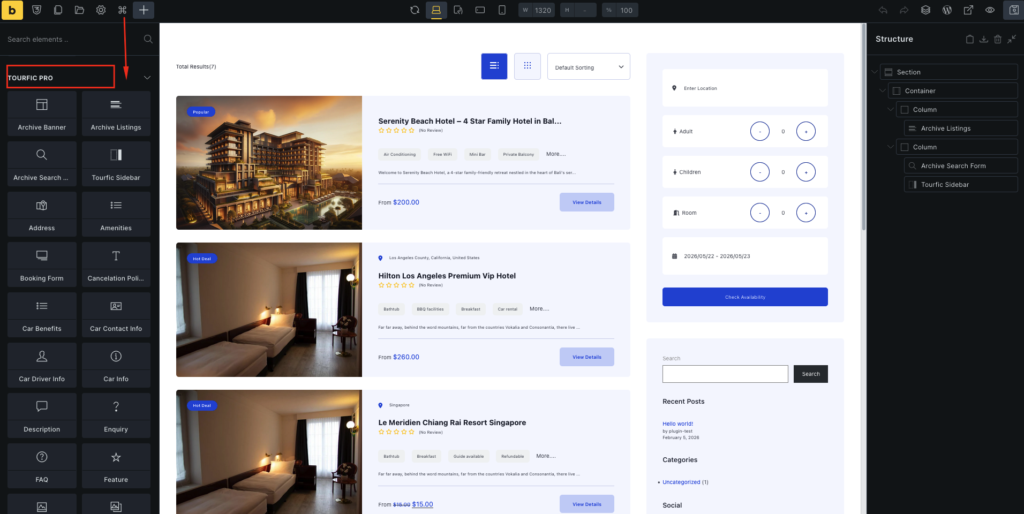
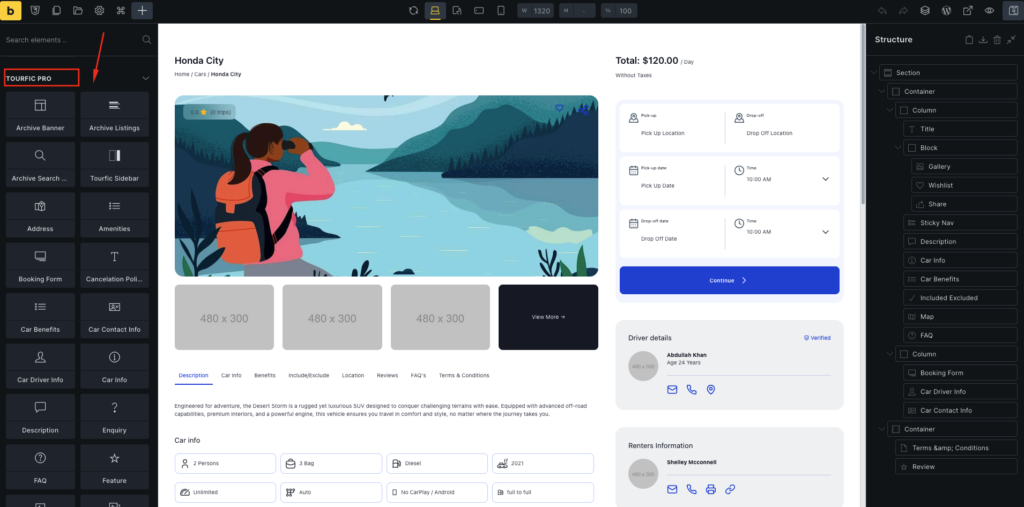
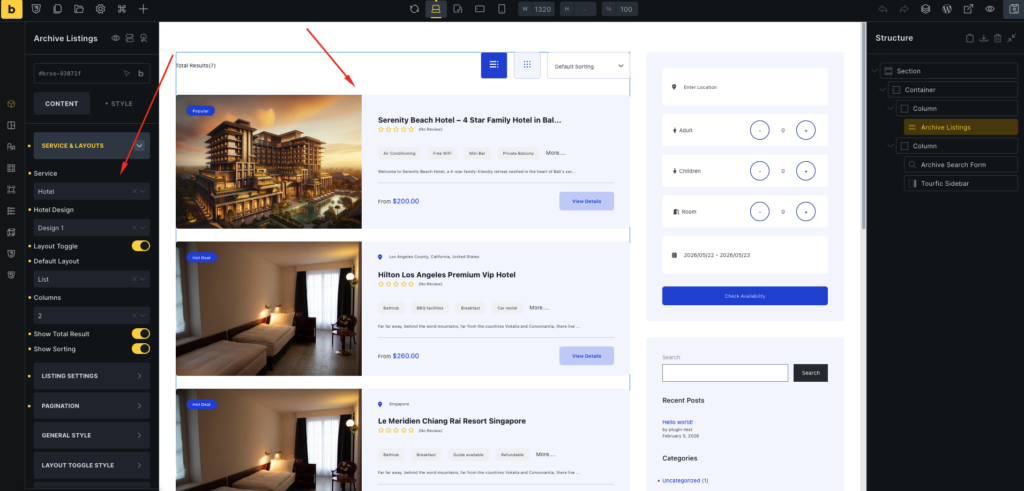
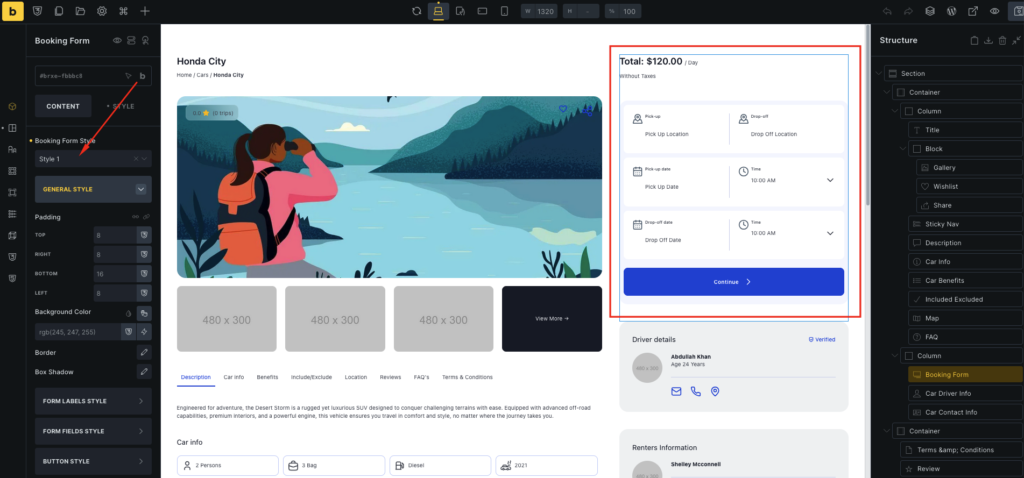
You can customize: #
- Listings
- Filters
- Price blocks
- Availability
- Search forms
- Ratings & meta information
Use Cases #
1. Custom Hotel Search Page # #
Create a Hotel Archive template and design a custom search results layout.
2. Custom Tour Detail Page #
Use a Single Tour template to design tour detail pages using Bricks widgets.
3. Separate Layouts Per Service #
Each service (Hotel, Tour, Apartment, Car Rental) can have unique designs.
Summary #
The Tourfic Bricks Page Builder Addon gives you full control over Tourfic layouts with:
- No coding required
- Drag-and-drop Bricks interface
- Separate templates for Archive & Single pages
- Service-based customization
